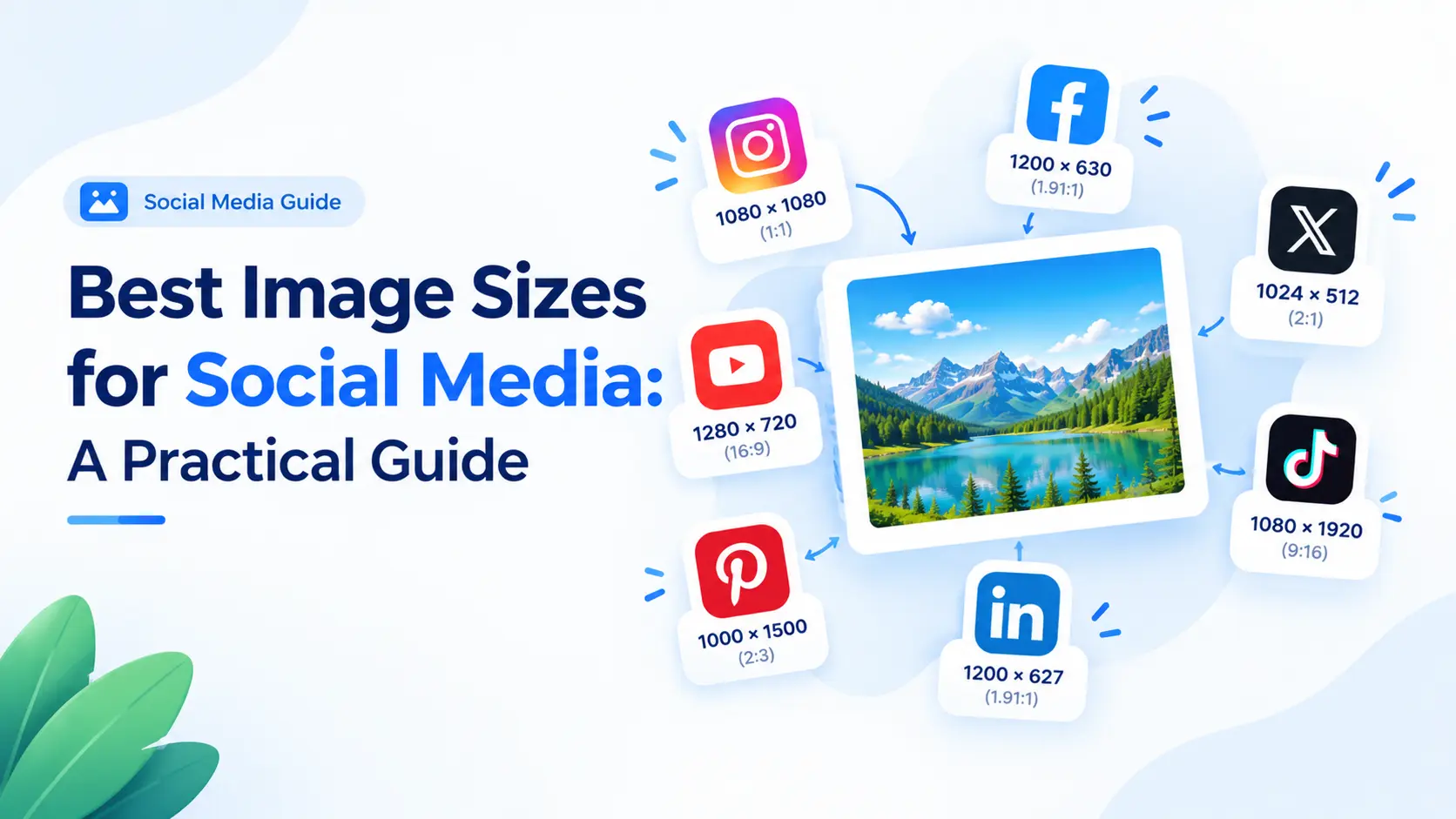
Social platforms display images in a few recurring shapes: square, landscape, and tall portrait. Preparing an image close to the target shape helps you control the crop and reduces the chance of an unwanted automatic resize.
Use a platform preset
A square Instagram post can start at 1080 × 1080 pixels. A portrait post commonly uses 1080 × 1350, while Stories and Reels use 1080 × 1920. Facebook feed images often work well at 1200 × 630, and an X in-stream image is commonly prepared at 1600 × 900. Treat these as working presets because platforms can change their rules.
Design for the crop
A correct canvas does not protect the subject if important detail sits near an edge. Keep faces, logos, and short headlines toward the center. For landscape-to-portrait conversions, choose a focal point and crop intentionally. If the whole photograph matters, use a fit mode with bars.
Make versions for placements
Create square, 4:5 portrait, and 9:16 story versions when a campaign matters. Keep a named folder with the original and each export so you can update a post without starting over. The social media presets make these variants quick.
Leave safe space
Stories and short-form video placements often overlay captions or buttons. Do not put important words at the very top or bottom, and build a hierarchy that still works if the platform trims a few pixels.
Frequently asked questions
What is a good all-purpose social image size?
A 1080-pixel-wide source is a practical starting point for many social placements, but the best height depends on whether the post is square, landscape, or portrait.
Should I use JPG or PNG?
JPG is usually efficient for photographs. PNG is better for transparency, logos, screenshots, or graphics with sharp text.